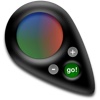
HueGo Lite
by piDog Software
v2.4.0
·
Updated 4 months ago
·
4.27 Mb
·
Released Oct 2011
Key Features
💻
Code Editor
🖥️
Terminal / CLI
📋
Clipboard Manager
About HueGo Lite
HueGo allows users to sample colors from their display or from a color prism. HueGo can be made to float in front of other apps by selecting "Sampler is Global" from the "View" menu.
Sample area is adjustable from 1 pixel to an 11x11 area
Color values can be quickly copied to the clipboard by clicking the "Go!" button.
The full version provides a live rgb values preview, customizable color formats, options for editing colors and the ability to save lists of selected colors for future reference.